
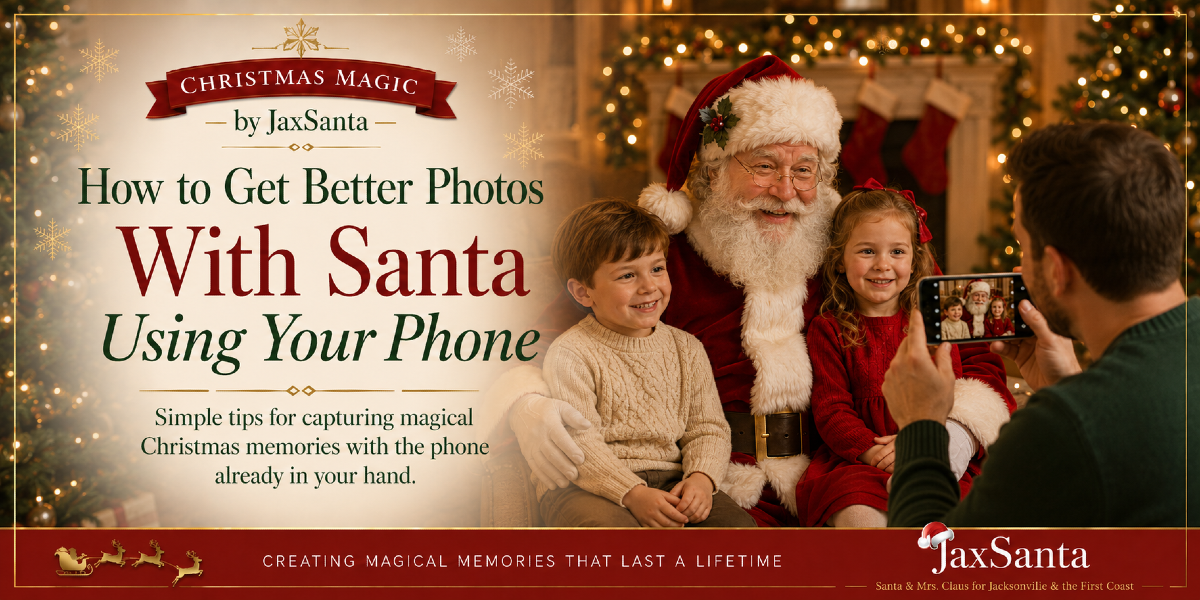
How to Get Better Photos With Santa Using Your Phone
You don't need an expensive camera to get beautiful Santa pictures. A few small changes in lighting, positioning and timing can make your phone photos dramatically better.
When Santa arrives, everyone wants pictures.
And modern phones are capable of taking remarkably good ones—if you give them a little help.
After seeing a lot of families photograph their children with Santa, we've noticed that the difference between a photo people love and one that ends up forgotten usually isn't the phone. It's the setup.
Here are some simple ways to get better pictures the next time Santa visits.
As an Amazon Associate I earn from qualifying purchases.
1. Clean Your Camera Lens
This sounds almost too simple to mention, but it makes a huge difference.
Phone lenses collect fingerprints, makeup, lotion and everything else our phones encounter during the day.
Before Santa arrives, wipe the lenses gently with a clean microfiber cloth.
A cloudy lens can make Christmas lights bloom, faces look soft and an otherwise beautiful photo seem strangely hazy.
2. Put the Light on the Faces
Good lighting matters more than almost anything else.
If you're indoors during the day, position Santa and the children so they're facing toward a window rather than sitting directly in front of one.
If it's evening, turn on the room lights and add lamps nearby if necessary.
The goal is simple: you want the brightest light falling onto the faces—not shining into the camera from behind them.
3. Try the Photo Both With and Without Flash
Phone flash isn't always the enemy.
In a very dark room, it may help illuminate faces. But in a reasonably well-lit space, flash can sometimes make skin look harsh and flatten the warm Christmas atmosphere.
Take one or two quick test photos before the real moment begins and see which looks better.
4. Don't Use Digital Zoom Unless You Have To
If you want a closer photo, walk closer.
Pinching the screen to zoom can reduce image quality, particularly in lower light.
You're usually better off taking a full-resolution picture and cropping it slightly afterward.
5. Use Portrait Mode—But Take a Regular Photo Too
Portrait mode can create that beautiful blurred-background look and make Santa and the children stand out.
But fur, beards, glasses and Christmas decorations can occasionally confuse the phone's depth detection.
So take some portrait-mode shots, then take a few normal photos as insurance.
6. Take Several Photos Instead of One
Children blink.
Santa talks.
Someone looks away.
Dad walks through the background carrying a plate of cookies.
Take several pictures.
If your phone has burst or continuous-photo capability, use it during moments when the children are laughing or interacting.
You're much more likely to capture one wonderful expression.
7. Don't Photograph Only the Pose
Yes, get the traditional everyone-looking-at-the-camera picture.
Then keep taking pictures.
Some of the sweetest photos happen when:
- Santa is listening to a child's Christmas wish
- A toddler is studying Santa's beard
- Mrs. Claus is talking with a shy child
- Santa is handing out a present
- Everyone suddenly starts laughing
Those candid photographs often tell the real story of the visit.
8. Get Down to the Children's Level
Adults naturally photograph children while standing upright and pointing the phone downward.
Try lowering yourself closer to the child's eye level instead.
The resulting photo usually feels more personal and less like you're looking down on the scene.
For seated Santa photos, this can make a particularly big difference.
9. Look Behind Santa Before You Start
Your phone sees everything.
Before the visit, look through the camera and check the background.
Move the laundry basket.
Hide the cardboard delivery box.
Slide the trash can out of view.
Straighten whatever is directly behind Santa.
You don't need a professionally styled room. You just want to remove the distractions your eye tends to ignore in person.
10. Use a Small Tripod If Everyone Needs to Be in the Picture
One of the biggest challenges with family Santa pictures is that somebody always has to take the photo.
A small phone tripod and remote shutter can solve that.
Set the phone up beforehand, frame the shot and let everyone get into the picture.
A compact phone tripod with a Bluetooth remote makes family group pictures much easier and can be used all year.
Browse phone tripods with remote shutters on Amazon (paid link)11. Leave Live Photos On
If your phone supports Live Photos or a similar motion-photo feature, consider leaving it enabled.
It may let you choose a slightly different frame afterward if someone blinked or moved at exactly the wrong second.
Those few extra moments can rescue an otherwise perfect photograph.
12. Take a Little Video Too
Photographs are wonderful, but don't forget video.
Record Santa walking into the room.
Capture your child's reaction.
Save a little of the conversation.
You don't need to record the entire visit. Thirty seconds here and there can preserve voices, laughter and expressions that a photograph can't.
13. Then Put the Phone Down
This may be our most important photography tip.
Once you've gotten the pictures you want, put the phone away for a little while.
Watch your child's face.
Listen to the conversation.
Laugh at the funny answers.
Be in the memory instead of documenting every second of it.
The Best Santa Photo Isn't Always the Perfect One
Sometimes the technically best photograph isn't the one you'll treasure.
It may be the picture where your child is laughing so hard their eyes are closed.
Or the toddler standing three feet away from Santa because that's as close as they were willing to get.
Or the photograph where Grandma unexpectedly joined in.
Good lighting and a few phone tricks will help—but the real goal is to preserve what the moment felt like.
Ready to Make Some Christmas Memories?
Santa Tim & Mrs. Claus Robbin create personal Christmas experiences for home visits, neighborhood gatherings, corporate events, schools, churches and community celebrations throughout Jacksonville and Florida's First Coast.
Check Santa & Mrs. Claus Availability